|
| Course Name |
Practical Legal Knowledge for Translators [Course Syllabus] |
| Professor |
|
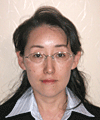
Michiko Takada
Graduated from Faculty of Law, Waseda University Worked at International Alliance Judicial Affairs in Toshiba Corp. Michiko Takada mainly covered contract related business, such as alliance contracts negotiation with overseas companies, contracts preparation and examination. She left Tokyo after her marriage, she started to study English-Japanese Law Translation Correspondence Course in Industrial Translation at Babel Corp. After she passed Babel Professional Language Examination, she was registered as a translator. Michiko was off from work because of her family commitment, now she works as a translator for legal documents especially for petition and contract. Also she works as a monitor for these legal documents. |
|
| Course Progression |
This lecture covers useful practical knowledge and techniques when you nomally face and need to solve legal problems after you become translator. Students have to read the basic course text and follow course material assigned. You need to read the Compendium of Laws and prepare practice questions by yourself and submit. This lecture contains four lessons.
Read course material assigned by instructor
Listen to audio lectures
Submit homework assignments
[Aim of the course]
|
| Course Text |
[Practical Legal Knowledge for Translators] (PDF)
[About the Compendium of Laws]
|
| Course Outline |
|
| Submissions |
Each lecture room shows submission information at the end of 'Course Material Assigned'. Follow the instructions for your submission. |
| Submit homework assignments |
All answers should be sent by using the submission forms.
To send the form, please follow the instructions.
- Fill in your Name, Student ID number, e-mail address and Lecture number.
- Write your translation into the answer sheet.
- Once you have finished, please click the send button only once.
- You can check your answers at the checking page, and if you have nothing to amend, then click [Send -submit-] button.
- Once you have sent it, [Completed] page will appear.
★Please put the correct Lecture number.
★Assessment will be sent to the e-mail address that you gave us. Please pay full attention to fill all necessity information.
★There is a Time Out system, so if you spend too long to put the information you might not be able to send it. It is recommended to use Note and Text Editor to prepare your translation and then copy & paste.
|
| Q&A Notice Board |
|